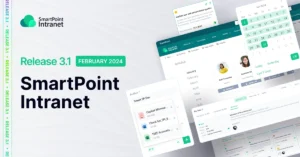
Having a convenient tool for automating the setting of administrative tasks in a company is one of the main goals of increasing the efficiency of employees and business processes. The SMART business team researched and analyzed the most critical requirements for the functionality of the module to manage the employee’s own tasks.
Release 3.0 is dedicated to the creation of your own Task Center – a tool through which the user can create and manage administrative tasks, collect analytics, prioritize and track statuses in real time.
Branched tree of group tasks
What has been done?
The ability to create a branched tree of group tasks has been added.
How does it work?
Just go to Personal Services in your Personal Account and start creating your own tree of group tasks. Each portal user will be able to immediately work with forms, change views, and make changes to assigned tasks.
How is it useful?
Creating group tasks and the ability to assign one task to multiple performers creates ideal conditions for collaboration and collective problem solving. This increases team interaction and facilitates shared responsibility.
Assigning tasks to different performers
What has been done?
The ability to assign tasks to different performers has been added.
How is it useful?
Assigning different performers makes team collaboration more coordinated and efficient. This helps distribute tasks among employees, reduce the number of duplicated tasks and save time.
Viewing the statuses and priorities of assigned tasks in real time
What has been done?
The ability to track the priority and status of a task in both table and kanban views. You can also track the source of the task: SmartPoint Intranet or Microsoft Planner.
How is it useful?
The ability to save time by working with tasks from different systems in a single window – the Task Center. The user does not need to switch between tools: basic actions on a tasks can be performed directly in the Personal Account on SmartPoint Intranet.
Implementing Task Center provides a wide range of benefits, the main ones being as follows:
- Convenient planning of your own working day, week, month.
- Centralized team collaboration, viewing your workload.
- Greater flexibility for both the manager and a regular user.
- User-friendly interface with the ability to switch between table and kanban views.
- A single window for working with tasks created in different tools.
- Consolidating analytics for executives and managers in Power BI reports.
- Ability to work both in the web version and through Microsoft Teams.
- Open roadmap with the ability to obtain the required functionality within the SmartPoint Intranet product license.